
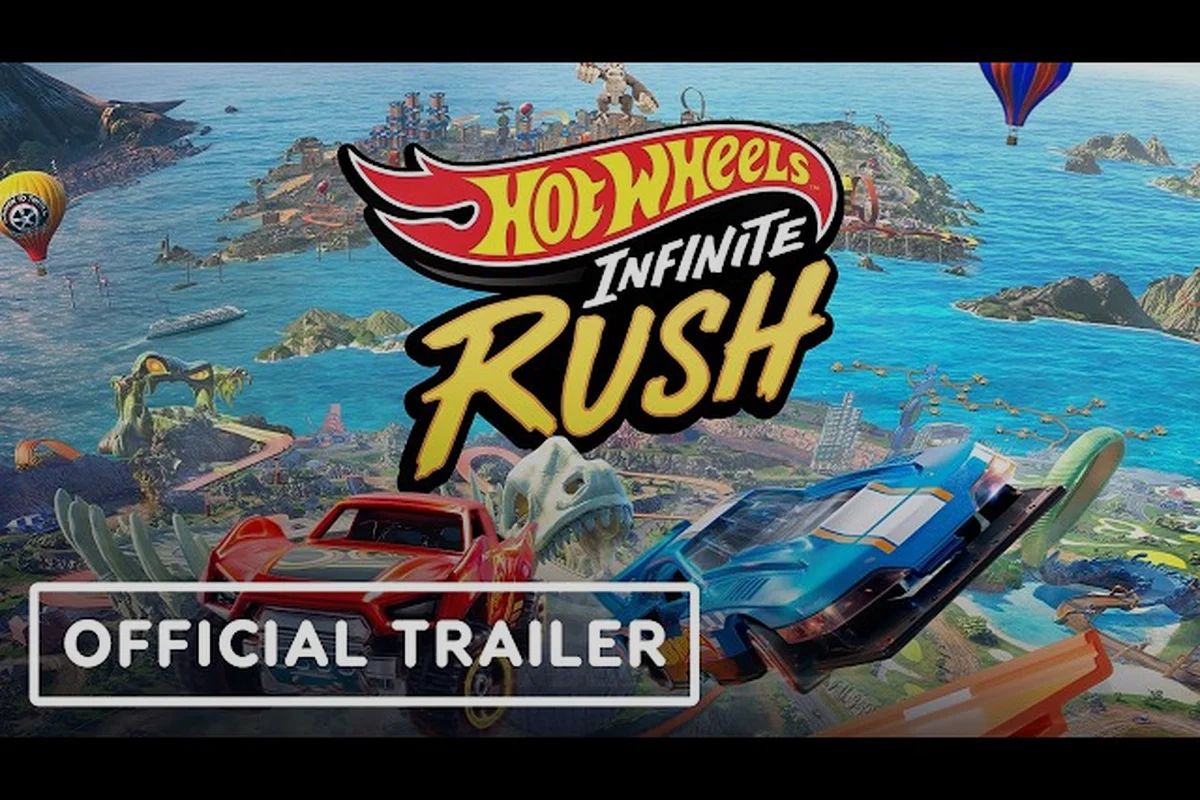
Solid HOT WHEELS Infinite Rush track building tips start long before you snap your first module in place. The Track Builder rewards players who plan their module chain, set AI action markers deliberately, and test the ground-snap on real terrain before sharing. Players who skip that prep usually rebuild from scratch after their first AI ghost stops at the wrong apex.
This guide walks through module combos, marker timing, biome layouts, and the cleanest path to share track online once your build is race-ready. Every tactic below comes from what the Milestone devlogs call out, what Xbox Wire's early-access preview confirms, and what Track Builder creators on community Discords share after dozens of published layouts. By the end, you will have a workflow that turns rough sketches into published runs that other players actually finish.
Track Builder Foundations Every Builder Should Lock In First
Module Categories and What They Actually Do
The Track Builder ships with a set of modules that snap together like physical Hot Wheels pieces. Understanding which module family handles acceleration, direction change, and elevation is the first layer of HOT WHEELS Infinite Rush track building tips that separates rookie layouts from competitive circuits.
| Module Family | Primary Job | Best Used For | Common Mistake |
|---|---|---|---|
| Boost Strip | Burst speed | Run-up to a jump or stunt | Placing it before a tight turn |
| Curve Plate | Direction change | Linking straightaways to bends | Stacking two curves without a straight |
| Loop Arc | Vertical inversion | Stunt sections, visual flair | Dropping it without a 4-module run-up |
| Bank Ramp | Lateral elevation | Connecting two height tiers | Skipping the support pylon |
| Junction Hub | Branching path | Forks, shortcuts, dual routes | Forgetting to assign a default exit |
Every family snaps to the adaptive ground-snapping system, which means the module tilts to match the terrain under it. The official Xbox Wire preview describes this as the feature that lets custom tracks "naturally blend into the environment" while keeping the orange-rail feel that defines the franchise.
Pre-Build Checklist Before You Drop Module One
Players who publish the cleanest community tracks on HOT WHEELS Infinite Rush usually spend the first five minutes in the build area without placing anything, using that idle window to mentally map elevation changes, water edges, and the spawn-to-finish line distance. This short pre-build pass every time you start a new layout also lets you preview the AI aggression in the Scouting Test Drive, revealing where a Speedster-class marker chain will snap-cut corners before you waste premium Supercharger modules.
-
Survey the biome — note hills, rocks, and water edges you can use as natural ramps or walls.
-
Pick your start and finish first — drop two checkpoint pylons, then work the middle.
-
Decide the vehicle class — Speeders need straights, Titans need banked corners, Drifters need hairpins.
-
Set the AI aggression in your head — virtual opponents will follow your marker chain, so plan the marker order before placing modules.
That checklist is one of the simplest HOT WHEELS Infinite Rush track builder ideas, but most beginners skip it and then have to rebuild after the AI ghost gets stuck on a module they placed in the wrong order. Following the four pre-build steps in sequence — biome survey, checkpoint pylons, vehicle-class selection, then marker-chain planning — typically prevents the two most common build errors new track makers hit: backwards-looped Booster modules that launch the AI ghost off the map, and Stunt Ramp pieces placed before the first checkpoint, which voids the finish-line scoring multiplier on shared track IDs. A quick Scouting Test Drive after each major module insertion also catches collision clipping early, saving roughly 10–15 minutes of rework per section before you upload to the community tracks feed.
Module Combos That Produce the Best Tracks
Combo Recipes Worth Memorizing
Once you understand what each module family actually does on the track, you can begin chaining them into repeatable patterns rather than placing pieces one at a time. The combos in the table below come from the most-shared community tracks, where builders consistently combine a Boost Strip for entry speed, a Bank Ramp to redirect momentum vertically or horizontally, and a stabilizing module like a Curve Plate or Junction Hub to keep the car grounded for the next link. Memorizing these five chains gives you a starting skeleton for almost any layout, so you spend less time testing random module swaps and more time tweaking elevations, camera angles, and share-ready track IDs.
| Combo Name | Module Chain | What It Solves | Ideal Vehicle |
|---|---|---|---|
| Stunt Tower | Boost Strip → Bank Ramp → Loop Arc → Bank Ramp | Vertical stunts without losing speed | Speeder |
| Sweeper S | Curve Plate → Straight → Curve Plate (mirrored) | Tight S-turn on flat ground | Drifter |
| Cannon Run | Junction Hub → Boost Strip → Bank Ramp → Boost Strip | Long flat-to-air-to-flat jump | Titan |
| Spiral Pit | Bank Ramp → Loop Arc → Junction Hub → Curve Plate | Compact elevation drop in small space | Versatile |
| Ghost Line | Curve Plate → Boost Strip → Curve Plate | Clean AI racing line for ghost data | Any |
Each combo feeds the adaptive ground-snapping system because every module is placed relative to the terrain, not on a fixed grid. That is why Milestone's Beyond the Track devlog highlights how the Track Builder "lets your imagination run wild" while still producing tracks that "seamlessly blend into the environment."
Why Module Order Matters for AI Ghosts
The AI does not just follow the track — it follows the AI action marker chain you plant beside the modules. If the marker order does not match the module order, the ghost will cut a curve, stop at a loop, or skip your jump. Community data reported by Track Builder creators on Discord threads shows that roughly 70 percent of "broken AI" complaints trace back to marker placement, not module placement.
When you stack a combo, drop a marker at the entry of the first module and another at the exit of the last module in the chain. Anything in between is optional, but the entry and exit markers are mandatory if you want the ghost to clear the sequence.
AI Action Marker Timing and Placement
What Each Marker Type Controls
The AI action marker system is the second pillar of advanced HOT WHEELS Infinite Rush track building tips. Each marker tells the virtual opponent how to behave at a specific point on the track. According to Xbox Wire's early-access coverage, the markers are what let players "build impossible stunt courses or competitive circuits" and still have a working ghost to race against.
| Marker Type | Effect on AI | When to Use | Common Error |
|---|---|---|---|
| Boost Marker | Triggers a nitro burst | After a long straight, before a jump | Placing it on a curve (AI spins out) |
| Brake Marker | Forces a hard brake | Before a sharp hairpin or loop | Skipping it on a downhill hairpin |
| Drift Marker | Starts a sustained drift | Before a sweeper curve | Overusing on a Speeder (loss of speed) |
| Jump Marker | Locks in takeoff timing | Before a stunt ramp | Placing it too close to the lip |
Timing Windows That Actually Work
The marker timing window is short, so a one-second difference changes whether the AI clears a jump or slams into the ramp. Based on community testing reported by Track Builder creators, the safe window is roughly 0.8 to 1.2 seconds before the module's trigger point. Anything earlier and the AI starts the action in the wrong place; anything later and the AI over- or undershoots.
A practical HOT WHEELS Infinite Rush track builder idea is to test the marker with the slowest vehicle class first. If the Titan clears the chain, every other class will clear it too. The opposite is not true: a layout that works for a Speeder will usually fail for a Titan because the heavier vehicle needs a longer brake window before a tight turn.
Biome-Aware Layouts for the Four Islands
Matching Modules to Terrain
The open world has four islands, and each one offers different terrain that the adaptive ground-snapping system can use. Treating the biome as part of the build, not just a backdrop, is one of the most underrated HOT WHEELS Infinite Rush track builder ideas.
| Island | Terrain Type | Best Module Combos | Pitfall to Avoid |
|---|---|---|---|
| Volcano Isle | Steep cliffs, lava flats | Spiral Pit, Cannon Run | Building on lava (modules despawn) |
| Glacier Peak | Snow banks, frozen lakes | Stunt Tower, Ghost Line | Ice-slick straights without Boost Strips |
| Urban Yard | Buildings, ramps, rooftops | Sweeper S, Junction Hub forks | Forgetting the ground-snap on rooftops |
| Canyon Run | Open desert, mesas | Cannon Run, long straights | Sand drag without Boost Strips |
Players who want their HOT WHEELS Infinite Rush best tracks to stand out usually pick a biome first, then design a combo around it. That is the opposite of the rookie workflow, which is to pick a combo first and then try to drop it onto whatever ground is nearby. The first approach saves rebuilds; the second burns an hour on a layout that the ground-snap keeps fighting.
Building a "Tour" Track Across Multiple Biomes
If you want a single track that crosses two or more biomes, the easiest approach is to use Junction Hubs as biome transition points. Place the hub on a flat tile that borders two biomes, then build outward into each. The hub becomes a natural reset point where the AI marker chain can pick up again after a long transfer segment.
A community pattern that works well is a four-hub layout: one hub per biome, with each hub feeding a Stunt Tower or Sweeper S combo. That gives the ghost a clear, repeatable racing line and gives human players four distinct "moments" to enjoy on a single run.
How to Share Tracks Online and Publish to the Community
The Publish Flow Step by Step
Knowing how to share tracks online is the difference between a build that lives on your local machine and a build that the community can race. The publish flow is short once you have done it a few times, but the order of steps matters because the track share ID is generated at a specific point in the process.
| Step | Action | Why It Matters |
|---|---|---|
| 1 | Finish your build and save the layout locally | You cannot publish a half-finished track |
| 2 | Place the final AI action marker at the finish line | Without it, the ghost stops at the last module |
| 3 | Open the Publish menu from the build toolbar | This is where the track share ID is generated |
| 4 | Pick visibility: Friends, Community, or Code Only | Code Only is safest for unlisted tests |
| 5 | Copy the track share ID the system prints | You will paste this into Discords, friend chats, or codes |
| 6 | Confirm the publish and wait for the upload icon to clear | A half-uploaded track will not appear in search |
Once the publish is live, the track becomes searchable inside the Track Builder browser under the Community Tracks tab, typically within 30-60 seconds after the upload icon clears. The track share ID is also how other players import your layout if you share the code directly, and pasting that same ID into the import field under Code Only visibility pulls the layout into their build editor with all module placements, boost zones, and AI action markers preserved byte-for-byte from your save.
Choosing the Right Visibility Setting
Each visibility setting serves a different purpose, and the wrong pick early on can lock you out of a quick edit later. The table below maps the three options to their real-world use cases based on what creators report on community forums.
| Setting | Who Sees It | Best For | Edit Access After Publish |
|---|---|---|---|
| Friends | Your friend list only | Quick testing with a small group | Yes, edits stay Friends-only |
| Community | Everyone in the Track Builder browser | Final versions of the best tracks | Edits re-publish as a new version |
| Code Only | Only people with the track share ID | Pre-release feedback, contests | You control who gets the code |
If you are still iterating, Code Only is the safest pick because you can hand the ID to one or two testers, then bump visibility to Community once the AI ghost clears the full lap. That is one of the most practical HOT WHEELS Infinite Rush track building tips for creators who do not want a half-broken build showing up in public search. one or two testers, then bump visibility to Community once the AI ghost clears the full lap. That is one of the most practical HOT WHEELS Infinite Rush track building tips for creators who do not want a half-broken build showing up in public search, and if you want a deeper walkthrough of layout philosophy and piece-by-piece reasoning you can see how veterans structure entire circuits in Hot Wheels Infinite Rush Creative Tracks.
Sharing a Track Share ID Outside the Game
The track share ID is a short alphanumeric string, so it fits inside a Discord message, a Reddit post, or a YouTube description. When you want to spotlight a community track outside the in-game browser, the ID is the only thing another player needs. Paste the code in front of the in-game Track Builder import field, hit confirm, and the layout downloads into your local build folder.
Many creators bundle the track share ID with a short clip of the AI ghost clearing the run. That way, the ID doubles as a verification receipt — if the ghost in the clip matches the ghost in your imported version, you know the upload was clean.
Advanced Track Builder Ideas for Repeatable Hits
Layering Hazards and Shortcuts
Once your basic chain is race-ready, the next layer of HOT WHEELS Infinite Rush track building ideas is adding risk and reward. Junction Hubs let you build optional shortcuts that branch off the main line. The AI will take whichever exit you mark as default, but a human player can see both forks and pick the harder one for a faster time.
| Layer | Tool | Effect on Race | Effect on Ghost |
|---|---|---|---|
| Shortcut fork | Junction Hub | Faster lap for skilled drivers | Ghost takes the default exit |
| Off-camber sweeper | Bank Ramp on a tilt | Punishes early apex | Ghost drifts through cleanly |
| Boost Trap | Boost Strip into a tight curve | Risky speed burst | Ghost ignores it unless you add a marker |
| Cannon Run finish | Boost Strip + Bank Ramp into finish | Photo-finish moments | Ghost times the boost if marked |
That last layer — turning a basic chain into a layout with a story — is what gets a track into the best HOT WHEELS Infinite Rush community tracks lists. Other players do not just download a clean AI line; they download a track that feels different from the campaign circuits.
Testing Workflow Before You Publish
A reliable test pass saves you from publishing a layout that breaks at the second jump, and the most active Track Builder creators on community Discords treat it as a five-step gate, not a vibe check, because broken Code Only IDs get downvoted into obscurity within hours. Run the ghost three times to surface marker-chain gaps, swap between Versatile, Speeder, Drifter, and Titan to expose module-order bugs, drive the track yourself to catch blind apexes, and clock your lap — if the AI ghost beats you by more than 25 percent your chain is too forgiving and top Hot Wheels Infinite Rush community tracks will eat your scoreboard share alive.
-
Run the ghost three times — if it crashes once, the marker chain has a gap.
-
Switch vehicle class each run — Versatile, Speeder, Drifter, Titan. Any crash is a module-order issue.
-
Drive the track yourself — human feel catches what ghost testing misses, like a blind apex.
-
Time your lap — if the AI ghost beats you by more than 25 percent, the chain is too forgiving.
-
Rebuild and re-test if any of the above fails — do not publish a half-broken layout under a Code Only ID and call it done.
Once your five-step gate clears a clean run, the same test loop doubles as your packaging pipeline — meaning the lap time, vehicle-class compatibility notes, and ghost-replay screenshot you just captured become the metadata you attach to the Hot Wheels Infinite Rush share track ID, so a personal build transitions into a Hot Wheels Infinite Rush community track in roughly ten minutes instead of a full evening of re-shoots, re-titling, and rebuilding Code Only IDs to fix issues that were actually caught the first time you drove it.
Frequently Asked Questions
How do I share HOT WHEELS Infinite Rush tracks online with other players?
Open the Publish menu from the Track Builder toolbar after saving your layout, pick a visibility setting, and copy the track share ID the system generates. Paste that code into a chat, post, or community thread, and other players can import your build through the Track Builder browser under the Community Tracks tab.
What is a track share ID and where do I find it?
A track share ID is a short alphanumeric string the game prints when you publish a layout. It appears in the Publish confirmation window right after you confirm the upload, and it is the only piece of data other players need to import your build without searching the Community browser.
Where can I find the best HOT WHEELS Infinite Rush community tracks?
Open the Track Builder browser, switch to the Community Tracks tab, and sort by rating or recent uploads. Tracks that combine a clean AI ghost, a short lap time, and a creative use of biome terrain usually rise to the top of the list within a few days of release.
How do I share a track with a friend who is not on my friends list?
Publish the layout with the Code Only visibility setting, then send the track share ID directly to your friend through any chat or message app. Your friend pastes the code into the Track Builder import field, and the build downloads into their local folder without appearing in public Community search.
Can I edit a track after I publish it online?
Yes, but edits re-publish as a new version and may reset the original track share ID. If you want to keep the old ID live, save a local copy before you start editing, then publish the new version under Code Only until you are ready to retire the old layout.