
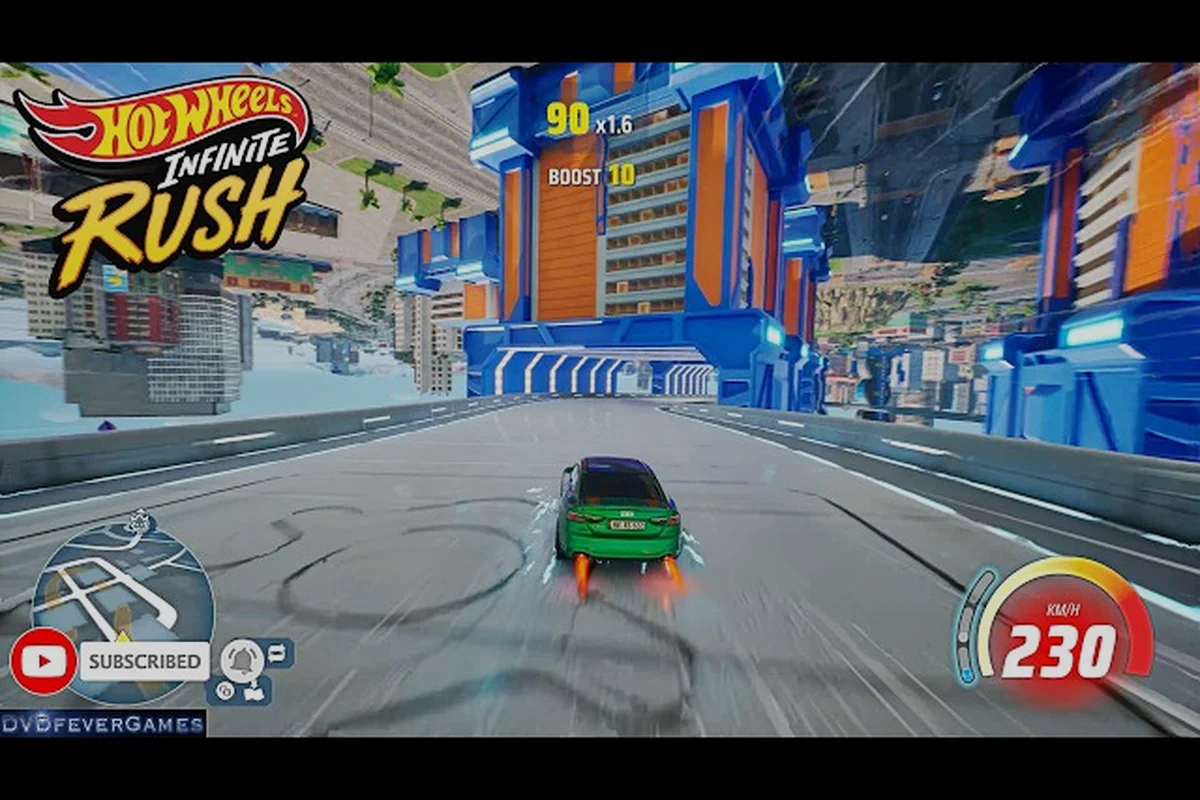
Building a custom circuit in HOT WHEELS Infinite Rush turns a casual session into something you can race, refine, and hand off to a friend with a single code. The Track Builder is the most expressive tool in the game, and learning to use it well is the difference between a forgettable loop and a layout people keep coming back to. According to the official Beyond the Track Ep. 3 devlog, track modules adapt to any terrain and blend into the open-world environment, which is why the builder rewards planning just as much as it rewards experimentation. This HOT WHEELS Infinite Rush racing your own track guide walks through the entire workflow: from the first test drive and basic tuning checks, to vertical layouts, sky tracks, and building a track around buildings that already exist in the world.
First Steps to Race Your Own Track
The Track Builder opens from any open-world island once you have progressed far enough into the campaign. It is not a separate mode you boot into; it is a real-time editor layered over the world, which means the ground, props, and architecture you see are the same ground, props, and architecture a friend will see when they load your code. That single fact drives most of the design decisions detailed in the sections ahead.
Core Modules You Will Use
Every layout in the Track Builder is assembled from a small library of snapping pieces, and learning what each module does well is the fastest path to a clean first draft. Spend your opening build testing a single 30-second lap using only Straight Track and Banked Curve combinations so you can feel how snap points resolve height deltas, before layering in Boost Pads, Wide Ramps, and vertical modules like Loop and Corkscrew that punish sloppy rhythm with air-time penalties.
-
Straight Track — the baseline. Use it to set rhythm between features and to measure your lap distance.
-
Banked Curve — a tilted turn that lets you carry boost through corners without scrubbing speed.
-
Loop and Corkscrew — full vertical rotations, best placed after a high-speed straight so momentum does the work.
-
Boost Pad — a short strip that injects a fixed burst of speed. Place it on the exit side of a turn, not the entry.
-
Wide Ramp — sends cars airborne. Pair it with a landing zone that has a clear run-out.
The official HOT WHEELS Infinite Rush Steam page confirms that the adaptive ground-snapping system lets modules follow the terrain, which is why a curve can wrap a hillside and a straight can cling to a rooftop without floating geometry. For a deeper look at every module and the editor UI, the HOT WHEELS Infinite Rush Track Builder overview is a useful companion read.
First Test Drive Workflow
Before you tune anything, lay down a rough loop, save it, and drive it. Track layout feels different at speed than it does on the editor grid, and a track that reads cleanly in the map view can become frustrating once you hit it at full boost. Community testing on shared codes suggests the best builders iterate in three passes:
-
Pass 1 — Skeleton. Drop one of every module in a closed loop. Confirm the start line, finish line, and at least one alternate path exist.
-
Pass 2 — Pacing. Drive the skeleton three times. Mark every spot where you brake harder than you want to.
-
Pass 3 — Polish. Replace the worst braking points with banked curves, boost pads, or elevation changes.
If you are new to the editor entirely, the HOT WHEELS Infinite Rush starter guide covers the surrounding progression systems — player level, track rank, and unlock nodes — that gate higher module counts and longer module limits, so revisit that guide once your three-pass skeleton demands a fourth module row or a sub-200-meter track length you cannot yet place.
Tuning Your Track Before You Share
A raw layout is rarely a fun layout. Tuning is the step that separates a first attempt from one of the HOT WHEELS Infinite Rush best track builder builds people keep on their favorites list. Tuning lives in three layers: surface properties, pacing, and AI behavior.
Surface and Elevation Settings
Each module has a surface type that affects how cars grip and drift. Mixing surfaces is what gives a track personality, but mixing them randomly is what causes chaos. The cleanest approach is to group one surface per "section" of the lap, then change surfaces at a visible feature such as a tunnel mouth, a wall, or a sharp drop.
| Surface Type | Best For | Avoid On |
|---|---|---|
| Asphalt | High-speed straights, banked curves | Long, tight hairpins |
| Tile | Drift-friendly chicanes, technical sections | Sustained full-boost runs |
| Metal | Sky track segments, industrial rooftops | Wet or rough open-world terrain |
| Dirt | Shortcuts, off-camber surprises | Main racing line through corners |
Elevation works the same way. Climbs feel great when they are rewarded at the top with a view or a long descent, and feel punishing when they are followed by another climb. According to the Xbox Wire preview of the early-access build, the adaptive ground-snapping system is what makes these vertical features feel natural rather than bolted on.
AI Action Markers
The same Xbox Wire article notes that AI action markers are what allow virtual opponents to race competently on player-built tracks. From a tuning standpoint, that means the AI will behave predictably if you place markers at the right spots, and will feel broken if you forget them. A useful rule of thumb is one marker per major decision point: each jump, each split path, and each sharp turn. Markers do not need to be placed on straights, because the AI handles those on its own.
Lap Length and Pacing Targets
A lap that is too short will not give boost-dependent cars room to breathe, and a lap that is too long will lose casual racers by the second loop. Community data from shared codes points to a sweet spot that varies by vehicle class, but the table below is a reliable starting point.
| Vehicle Class | Target Lap Time | Lap Distance | Notes |
|---|---|---|---|
| Speeder | 45-60 sec | 800-1100 m | Reward flat-out sections; avoid tight chicane stacks |
| Versatile | 55-75 sec | 900-1200 m | Most forgiving class for mixed layouts |
| Drifter | 60-80 sec | 1000-1300 m | Reward linked drifts with combo bonuses |
| Titan | 70-90 sec | 1100-1500 m | Reward open terrain and big air; punish tight corners |
These ranges are guidelines rather than hard rules, but they are a good filter when you ask yourself whether a lap feels too brisk or too slow. If you finish a Speed lap in under 40 seconds, the track is probably too compact to support boost combos.
Layouts That Travel Well: Vertical, Sky, and Around Buildings
Once the basics feel comfortable, the layouts that get shared the most tend to exploit a specific environment feature. Vertical tracks, sky tracks, and tracks that wrap existing buildings each have their own design language, and each has pitfalls that catch first-time builders.
Vertical Track Design
A vertical track is one where the lap climbs and descends significantly, often wrapping around a central landmark. The most common mistake is to treat the vertical section as a gimmick bolted onto an otherwise flat loop, because players will skip the gimmick and stay on the flat path. The strongest vertical tracks make the climb the only way to progress, or at least the only path that finishes the lap.
Vertical track design lives or dies on commitment and reward geometry, and in Hot Wheels Infinite Rush's track builder the climb must read clearly from the spawn camera so the player picks the ascent over the flat short-cut. Treat the vertical as the canonical path and gate the loop's finish line behind it, otherwise AI traffic on the lower segment will collapse your lap times into a single-file queue. Builders using track code share uploads with the "Skyline Ascent" template confirm that climbs above a 35-degree effective grade force even mid-tier cars like the Bone Shaker to commit to the corkscrew payoff or lose the race outright.
-
A long, visible climb so players commit before they reach the base.
-
A payoff at the top, such as a panoramic view, a long jump, or a corkscrew entrance.
-
A descent that lands back on the main loop without forcing a hard brake.
-
At least one off-ramp or alternate path, so the layout does not feel like a single-file queue.
Sky Track Design
Sky tracks sit high above the islands and rely on metal surface modules for grip. Because there is no terrain to snap to, sky tracks float on their own support structure, which means every module you add is also a structural decision. Community-built sky tracks that stay popular tend to share a few traits: they are short, they are spectacular, and they have generous catch rails so a mistimed jump does not end the run.
| Sky Track Element | Why It Matters | Common Mistake |
|---|---|---|
| Catch rails | Prevent instant restarts on missed jumps | Building without any at the start |
| Support struts | Tie floating sections back to the island | Long unsupported spans that flex visually |
| Visual anchors | Let players orient themselves mid-air | Symmetric layouts with no landmarks |
| Landing zones | Long, flat, and visible from the takeoff | Landings that are also turns |
For broader inspiration on how creators are pushing the ceiling, the HOT WHEELS Infinite Rush terrain tracks guide walks through how different island surfaces — jungle canopy, volcanic basalt, and frozen tundra — change the launch angle and grip coefficient of cars bridging into sky segments, which is critical when your track transitions from grounded loops into floating sky track modules mid-run.
Building a Track Around Buildings
The most cinematic tracks are the ones that treat the world's existing buildings as part of the layout. A track around buildings feels grounded in a way a floating circuit never does, because the architecture is doing half the work of telling the player where they are. The devlog confirms that modules seamlessly blend into the environment, which is why the strongest around-buildings tracks let the building dictate the route rather than fighting it.
A useful pattern for any HOT WHEELS Infinite Rush track builder designing a vertical track around a structure is to pick one building first as the anchor, then pressure-test it with three diagnostic questions before placing a single track piece: this sequencing matters because the building's footprint, roof access points, and ground-level doorways all constrain where orange track, boost pads, and loops can physically snap together without floating in space. By front-loading those three checks, a beginner avoids the common failure mode of building a sprawling layout that ignores the architecture and then has to be torn down when a module refuses to blend into the environment.
-
Where does the lap start? Pick the side of the building that gives the clearest view of the rest of the route.
-
Where does the lap finish? Pick the opposite side, so the loop reads as a journey across the structure.
-
What is the signature moment? A rooftop run, a tunnel through the lower floor, a wall ride, or a wraparound spiral all work, but only one should be the headline feature.
When the same building hosts multiple signature moments, the lap starts to feel like a theme park ride, which is exactly the energy the best HOT WHEELS Infinite Rush track builder builds tend to project. If you want a wider menu of techniques, the HOT WHEELS Infinite Rush track building tips article collects small ideas that scale up into full layouts.
Sharing, Codes, and the Community Loop
Building is only half the experience. The Track Builder is designed to feed a community of codes, and the share flow is simple once you know the steps. According to community data, creators who share early and often tend to iterate faster, because every code is a feedback channel.
Generating a Track Code
After you save a build, the share option generates a short alphanumeric code tied to that specific layout, including its module list, surface settings, and AI marker placement. The code does not store your vehicle or driver settings, so friends can race your track in any car they own. The code also does not store your island selection, so receivers should confirm they are playing on a map that contains the same landmarks your track references.
Sharing Codes With Friends
Once your custom track — whether it's a tight vertical loop, a sky track weaving between rooftops, or a circuit hugging a landmark — is finalized in Track Builder, Hot Wheels Infinite Rush generates a short shareable code that anyone can paste to load the exact same layout, including piece count, elevation data, and decorative props.
-
In-game friends list. Send the code directly through the built-in social menu. The recipient gets a download prompt the next time they open Track Builder.
-
External chat. Paste the code into a group chat, a private message, or a community board. Codes are short enough to fit on a single line, which is why most creators include a short descriptive tag, such as "Vertical Titan loop around the eastern tower."
Building a Reputation With Iterations
A small but consistent habit beats a single grand reveal. Community testing suggests creators who publish a v1 within a day of starting a build end up with stronger v3 layouts, because early feedback highlights the worst sections before they calcify into habits. The table below is a rough release rhythm that has worked for several prolific creators based on player reports.
| Iteration | Goal | What to Publish | What to Keep Private |
|---|---|---|---|
| v1 | Prove the concept | A working lap with rough pacing | Untested off-ramps, scenery ideas |
| v2 | Fix the worst section | A lap with one major section reworked | AI marker adjustments |
| v3 | Polish the signature moment | A lap where the headline feature is clean | Final cosmetic tweaks |
| Final | Lock and share widely | The full layout, properly named | Nothing — release and move on |
A short naming convention also helps. Names that mention the island, the vehicle class it suits, and the signature feature tend to be remembered longest. Something like "Eastern Tower Vertical Titan Loop" tells a recipient everything they need to know before they paste the code.
Frequently Asked Questions
What is the fastest way to learn the Track Builder as a new player?
Start with a flat loop of about 900 meters on your home island, drive it three times, and adjust the worst corner before adding any features. The HOT WHEELS Infinite Rush track builder guide for beginners is built around this loop-and-refine cycle because the ground-snapping system means even a basic loop feels polished, which gives you motivation to keep iterating rather than restarting from scratch every session.
How do I share a track code with a friend who plays on a different platform?
Generate the code from the share menu, then paste it into any chat app. The code itself is platform-agnostic, and cross-play support means your friend can load the layout on their console or PC as long as they are on the same game version. Confirm they have unlocked the same island you built on, otherwise landmark-based layouts will not load correctly.
Can virtual opponents actually race on player-built tracks?
Yes, the AI action markers are the feature that makes this work, and they are placed at decision points such as jumps, splits, and sharp turns. According to the Xbox Wire coverage of the early-access build, this is one of the two advanced tools that let community tracks support full single-player or co-op races against AI without needing constant manual tuning.
What makes a track feel like a sky track rather than a tall track?
A true sky track has no terrain under it for most of its length, which means the supports and catch rails are doing the work that ground would normally do. Practically, if you can remove the entire island underneath a segment and the lap still functions, you have built a sky track. If the ground is still doing structural work, you have built a tall track instead.
Are vehicle stats important when designing a track?
Very important, and the cleanest way to design around them is to pick a target class before you start. A Speeder-focused lap should reward long straights and punish tight chicanes, while a Titan-focused lap should reward open terrain and big air. Community data suggests tracks designed for one class tend to feel more cohesive than "for everyone" tracks, which often end up feeling average for every class.