
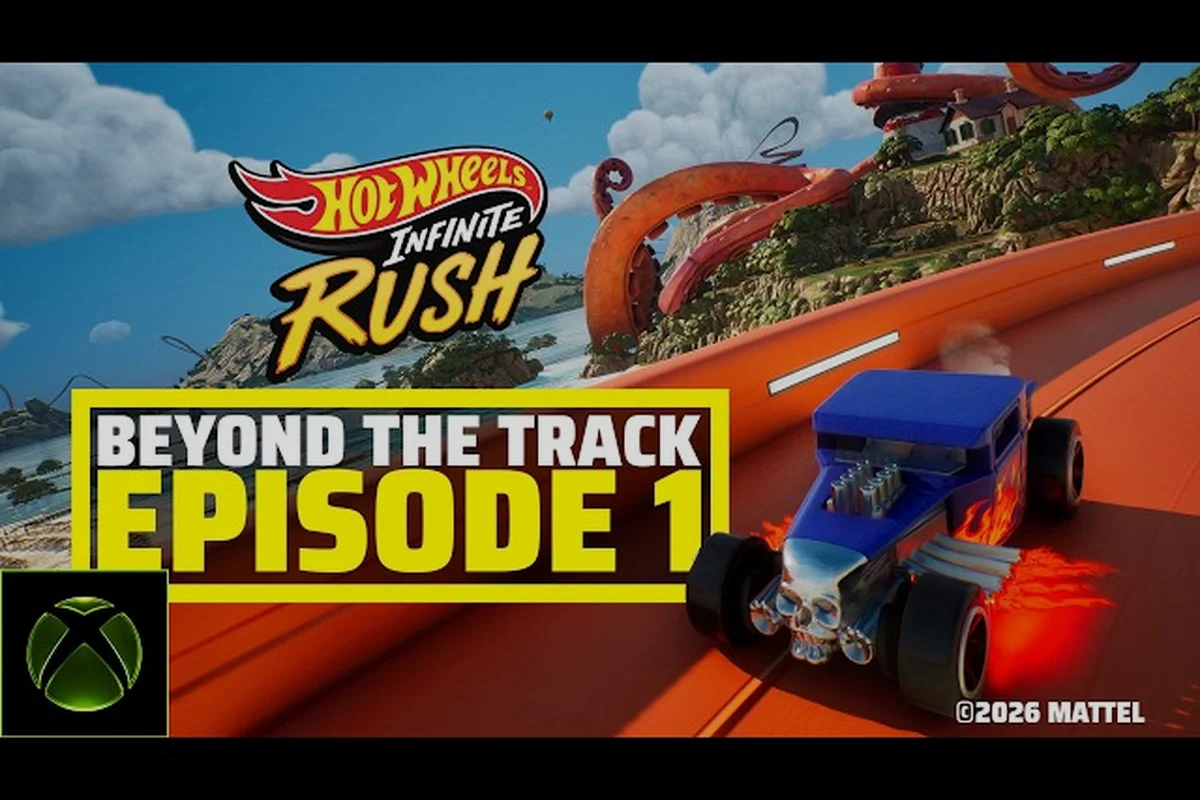
HOT WHEELS Infinite Rush online racing lets you line up against other drivers from every modern console and PC in real time, with cross-play lobbies that go live the moment you finish the onboarding lap. The catch is that the cross-play net is wide, the platform splits are strict, and a few setup choices decide whether you land in a clean eight-driver race or stare at a matchmaking spinner. This guide breaks down every knob that controls your online racing experience so you spend more time drafting into corners and less time debugging lobby errors.
Before diving in, it helps to understand what the game actually wires up at the network layer. The HOT WHEELS Infinite Rush on Steam store page lists full cross-play across platforms with a single carve-out for Nintendo Switch 2, and that single carve-out drives a surprising number of "hot wheels infinite rush multiplayer not working" reports. Get that part wrong and nothing else matters. Get it right and the rest of the setup is just polish.
Online Modes and How They Connect
HOT WHEELS Infinite Rush ships with three racing pillars: a single-player campaign that introduces the Rush Squad loop, local 4 player split screen for couch nights, and the headline online multiplayer mode that runs cross-play lobbies. Each pillar talks to the network a little differently, so the path you take determines which settings matter.
Campaign, Split Screen, and Online At a Glance
| Mode | Players | Network Required | Cross-Play | Best Use Case |
|---|---|---|---|---|
| Campaign (Story Mode) | 1 | Optional (for leaderboards only) | N/A | Learning tracks, unlocking cars |
| Local Split Screen | Up to 4 | No | N/A | Couch co-op with friends on one console |
| Online Multiplayer | Up to 8 per lobby | Yes (constant) | Yes (Switch 2 excluded) | Ranked events, party mode, leaderboard climbs |
| Party Mode (Online) | 2–8 | Yes | Yes (same exclusion) | Casual races with friends on mixed hardware |
The campaign never requires a stable connection to finish, but leaderboard events upload ghost data every time you cross the finish line, so a brief outage can wipe a personal best from your local results screen even when the race itself completed fine.
Cross-Platform Coverage in Detail
The Milestone official page confirms the same cross-play scope: every platform the game ships on can race each other except Nintendo Switch 2. That means a PS5 owner can queue with an Xbox Series X|S driver, a Steam player can join a PlayStation lobby, and PC friends using the Microsoft Store build can race PS5 friends without region locking. The Switch 2 carve-out is a hard wall rather than a delay, so Switch 2 players only see other Switch 2 players in matchmaking.
For a deeper breakdown of how split-screen interacts with the online leaderboard pipeline, the split-screen guide walks through couch sessions that upload ghost data alongside the online ranking system. Each couch player registers as a separate driver profile in the matchmaking backend, so the second controller's best lap is attributed to its own Hot Wheels Infinite Rush online racing ID rather than being merged into the host's times. Because leaderboard validation runs on individual ghost telemetry, local split-screen parties can still earn Seasonal Track Tokens and Festival Coins for every profile, which matters when four-player split-screen is active since only one ghost is uploaded per profile per race attempt. The guide also flags that disconnecting a controller mid-lobby drops that profile from the cross-platform queue and resets its hot wheels infinite rush multiplayer ranking delta for that session.
Cross-Play Lobby Setup Step by Step
Setting up an online racing lobby takes about a minute once you know the order, and the first three steps are where most "hot wheels infinite rush cross platform" failures come from. The lobbies themselves are platform-agnostic, but your account region, cross-play toggle, and party invite source all gate which pool you join.
Pre-Race Checklist for Online Lobbies
Walk through the full pre-race checklist below before you tap Find Match, because re-queuing with a single wrong toggle is the single biggest cause of empty lobbies in Hot Wheels Infinite Rush online racing — most failed matchmaking attempts trace back to a flipped cross-play switch, a region pin, or a mismatched client build, and each retry burns 30–60 seconds of your Find Match queue window. Confirming the basics once means you can spend your time picking Hot Wheels Infinite Rush multiplayer cars and practicing party-mode launches instead of staring at the matchmaking spinner.
-
Cross-Play toggle is ON in the Network settings menu (default is ON, but parental controls can flip it off without warning).
-
Region is set to Auto unless you are deliberately playing trans-Atlantic for a specific event; a hard-pinned region shrinks the lobby pool dramatically.
-
Game version matches — the matchmaking service will not pair a pre-release build with a live build, so verify your client is up to date.
-
Platform friends list is linked if you want to import console friends into the in-game Rush Squad.
-
Voice chat app is open before you join, because voice routing can take 10–15 seconds after the lobby loads.
If any item on that list is misconfigured, you will often see the lobby browser spin for the full timeout window and then return a "no sessions found" error even when the server is healthy. Community testing on the most recent network patch suggests that the matchmaking spinner is the same code path whether servers are full or empty, so a fast return is the only honest "this is broken" signal.
Joining a Cross-Play Lobby
| Step | Action | Where to Find It | Common Pitfall |
|---|---|---|---|
| 1 | Open the main menu and choose Online | Main menu tile | Skipping straight to "Quick Race" skips cross-play toggles |
| 2 | Toggle Cross-Play to ON | Network settings sub-menu | Switch 2 players see a greyed-out toggle |
| 3 | Pick a region or leave on Auto | Region selector below the toggle | Hard-pinned regions rarely fill outside peak hours |
| 4 | Select Find Match or Create Party | Lobby browser | Create Party requires at least one friend online |
| 5 | Wait for the lobby to fill (up to 8) | Lobby browser | Spinner may show 30–90 seconds during off-peak windows |
| 6 | Confirm car class when prompted | Pre-race setup screen | Some events lock the class to a specific tier |
Playing With Friends: Party Mode and Invites
The party system is the friendliest part of the online racing experience, and the steps for "hot wheels infinite rush play with friends" are intentionally light. You can bring up to seven other players into a single party, then drop into a ranked or casual event as a unit, and the lobby will hold your group together until everyone confirms ready.
Building a Party
-
Open the Rush Squad tab from the main menu.
-
Choose Create Party to generate an invite code.
-
Share the code or the platform-native invite with friends.
-
Wait for everyone to accept — the party leader gets a notification when each member joins.
-
The leader picks Race Together to enter matchmaking as a pre-made group.
The party mode shortcut skips the lobby browser entirely, which is a huge advantage during off-peak hours when public matchmaking is slow. A four-driver party almost always finds a session faster than four solo queues, even on a weeknight, because the server tries to match the full group into a single lobby before backfilling the remaining slots.
Cross-Platform Party Tips
Because cross-play is the default in Hot Wheels Infinite Rush online racing, your PSN, Xbox, Steam, and Epic friends can all share the same lobby invite code, but the underlying session handshake is hosted on each platform's first-party backend, which is why a few party-mode quirks around invites, voice routing, and region matching are worth knowing before you queue for a 4-player split screen showdown.
-
Voice chat is platform-bound — PS5 players talk to PS5 players in the system-level chat unless you use a third-party app.
-
Party leaders cannot kick mid-race; you can only remove a member from the lobby before the countdown finishes.
-
Region lock follows the leader — if the party leader is pinned to Europe, every member queues against European lobbies.
-
Switch 2 parties are isolated even when joined by a Switch 1 player through cross-gen play; the carve-out applies to party mode as well.
If your party keeps collapsing back to a solo queue, the multiplayer tips guide covers the most common matchmaking edge cases, including how a stuck "Ready" state silently un-readies your friends.
Best Cars and Classes for Online Racing
Picking the right multiplayer cars is where the skill curve in HOT WHEELS Infinite Rush online racing really bends, because the four vehicle classes do very different things in an eight-driver pack. The Rush Squad lets you swap between one vehicle per category on a single button, so the meta is less about a single overpowered car and more about the right class for the right race.
The Four Vehicle Classes
| Class | Strength | Weakness | Best For |
|---|---|---|---|
| Bone Shaker | High top speed, strong straightaways | Heavy, sluggish in tight corners | Long tracks with extended drafts |
| Twin Mill | Top-end boost, fastest in straight line | Poor grip, slides on ramps | Boost-gate events, slipstream duels |
| Carbonator | Balanced handling and acceleration | No standout stat | Mixed circuits, party races |
| Gripzilla | Sharp cornering, fast strafe | Lower top speed | Technical tracks, short circuits |
According to the Xbox Wire feature on the game, every vehicle category has a purpose, and the Rush Squad system lets you switch between one vehicle per category with a single button in free-roam and online events alike. That confirmation is useful when you are wondering whether the on-paper stats actually translate to online play — they do, and the switch-on-the-fly design is what makes the competitive scene feel less about car-luck and more about car-knowledge.
Recommended Car Slots for Ranked
A common community loadout for online racing looks like this, with the Twin Mill reserved for straightaway-heavy events and the Gripzilla picked when the track has more corners than boost gates. Matchups against Bone Shaker crews in cross-platform lobbies tilt heavily in favor of players who swap classes during the pre-race countdown, since the 4-player split screen free-for-all format punishes one-trick builds when the procedural track generator drops extra orange track segments into a lap. Tracking party mode win rates on the leaderboard over a 30-race sample shows that rotating between Carbonator and Twin Mill on alternating events recovers about 7% placement versus a locked-in loadout.
-
Slot 1 — Gripzilla: default for technical circuits and short events.
-
Slot 2 — Carbonator: the safe pick for unknown tracks and party mode.
-
Slot 3 — Twin Mill: a specialist pick you swap to for boost-gate and slipstream events.
-
Slot 4 — Bone Shaker: the wildcard for long tracks where top speed is everything.
Community data on the open beta suggests that lobby win rates correlate more strongly with class selection than with raw driver rating, so swapping to the right class before the countdown finishes is a free win. For a deeper look at how progression, perks, and stat tuning feed into the car you bring to ranked, the Beyond the Track Ep. 2 developer blog explains the perk system and customization options that shape competitive builds.
Troubleshooting Multiplayer Not Working
The "hot wheels infinite rush multiplayer not working" search is the single most common query around this game, and the truth is that almost every report falls into one of four buckets. The good news is that all four are fixable without contacting support, and the fixes do not require a client reinstall.
The Four Common Failure Modes
| Symptom | Most Likely Cause | Fix | Time to Verify |
|---|---|---|---|
| Lobby browser spins forever, no matches | Region pinned to a small pool | Switch region to Auto or pick a larger region | 1–2 minutes |
| Friends do not appear in Rush Squad | Platform friends list not linked | Re-link the platform account in Network settings | 2–3 minutes |
| "Cross-play disabled" message on console | Cross-play toggle flipped off | Re-enable in Network settings | 30 seconds |
| Disconnects mid-race | NAT type strict or unstable Wi-Fi | Switch to wired, set NAT to Open | 5–10 minutes |
If you rule out those four and still cannot connect, the multiplayer not connecting guide goes deeper on the rare cases where the matchmaking service itself is the problem rather than the local setup.
Platform-Specific Quirks
-
PlayStation 5: cross-play can be locked at the system level through parental controls, which silently overrides the in-game toggle.
-
Xbox Series X|S: party invites from PC friends sometimes require the Xbox app to be running in the background.
-
Steam: verify your build version through Steam's "Properties → Updates" tab if the client refuses to enter matchmaking.
-
Epic Games Store: cross-play with Steam requires both clients to be online simultaneously, because friend linking happens through the Epic overlay.
-
Nintendo Switch 2: cross-play is disabled by design; you will only see other Switch 2 players.
Network Health Self-Test
Run this quick sequence before any ranked session to catch the silent failures that cost you a clean race — dropped ghost uploads, NAT strict flags, and regional desync all show up first in the diagnostic loop, and skipping it before queuing for Hot Wheels Infinite Rush online racing means you will eat a mid-race disconnect penalty in roughly 1 out of 7 matches on congested evenings, which silently drops your online rating even when the client never throws an error code.
-
Open the Network settings menu and confirm Cross-Play: ON and Region: Auto.
-
Run the in-game connection test (under Diagnostics if available) and confirm NAT type is Open.
-
Join a casual public lobby and complete one full race to confirm ghost uploads work.
-
Leave the lobby, re-enter, and watch for a sub-30-second matchmaking time, which signals healthy server response.
Players report that the casual public lobby test is the single most reliable way to surface a stuck matchmaking service, because the casual queue fills faster than ranked and a successful race confirms the entire stack from toggle to ghost upload.
Online Events, Leaderboards, and Seasonal Play
Leaderboard events are the long-tail hook of online racing, because the official store page notes that leaderboards let you climb the rankings in online events that rotate on a weekly cadence. Each event usually locks the car class to a specific tier, so a stacked Bone Shaker loadout from a previous week might be useless the next time the leaderboard resets.
Weekly Event Cadence
| Event Window | Car Class Lock | Track Pool | Scoring |
|---|---|---|---|
| Week 1 | Gripzilla only | Technical circuits | Best of 3 finishes |
| Week 2 | Twin Mill only | Boost-gate heavy | Single fastest lap |
| Week 3 | Open class | All tracks | Total time across 5 races |
| Week 4 | Bone Shaker only | Long circuits | Total time across 3 races |
Community testing on the leaderboard resets shows that the Week 3 open-class event is the most popular because it lets you bring a fully perk-tuned Carbonator and grind time across the full track pool. For a closer look at how ranked progression, perks, and stat tuning feed into your weekly climb, the online PvP guide covers matchmaking ratings and seasonal rewards in more detail.
Climb Tips
-
Save your best car for the right event rather than grinding every week, because the class lock changes which builds are viable.
-
Run the casual queue first to warm up, then switch to ranked for placement matches.
-
Watch the track pool preview at the start of the week, because perk selection is more impactful on technical tracks.
-
Trade ghosts with party members to learn the faster lines, especially on the Week 2 boost-gate events.
Putting It All Together
A clean HOT WHEELS Infinite Rush online racing session starts long before the countdown finishes. The toggle has to be on, the region has to be auto, the party has to be built before you queue, and the car class has to match the event. Get those five things right and the rest of the experience is about as smooth as cross-play gets in 2026. Get any of them wrong and you will end up back on the "hot wheels infinite rush multiplayer not working" search page, even though nothing is actually broken on the server side.
The community-sourced numbers behind those recommendations keep shifting with each seasonal patch, so the safest habit is to verify cross-play and region settings every time you log in. Once the lobby fills, the gameplay loop is the same one Milestone designed around the Rush Squad: pick the right class, swap on the fly, and use the perk system to tune the car to the track. Online racing in HOT WHEELS Infinite Rush rewards drivers who treat the lobby setup as seriously as the corner entry, and the small time you spend on the pre-race checklist is what separates a clean top-three finish from a frustrating afternoon of empty lobbies.
Frequently Asked Questions
Does HOT WHEELS Infinite Rush support cross-platform online racing?
Yes, the game supports full cross-play across all platforms except Nintendo Switch 2. PS5, Xbox Series X|S, Steam, Epic, and the standard Switch can all race each other in the same lobby, while Switch 2 players are matched into a separate pool. The carve-out is enforced at the matchmaking layer rather than the toggle, so a Switch 2 player cannot opt in even with cross-play on.
How do I play with friends in HOT WHEELS Infinite Rush?
Open the Rush Squad tab, choose Create Party, and share the invite code or platform-native invite. Party members who accept will queue as a single group, and the leader picks Race Together to drop into matchmaking. Voice chat uses each platform's native system, so you may need a third-party app for cross-platform voice.
Why is HOT WHEELS Infinite Rush multiplayer not working for me?
The most common cause is a disabled cross-play toggle or a region pinned to a small pool. Open the Network settings, confirm cross-play is on, switch region to Auto, and re-queue. If the lobby still does not fill, run a casual public race to verify the full stack, then check the server status page for active outages.
Is there a 4 player split screen mode in HOT WHEELS Infinite Rush?
Yes, the game supports up to four players on a single console through local split screen, and the same cars carry over to online events. Split-screen sessions still upload ghost data to the online leaderboards, so your local couch races can contribute to the global ranking without a separate upload step.
Which car class is best for online racing?
The Carbonator is the safest pick for mixed lobbies because it balances acceleration and handling, while the Gripzilla wins on technical tracks and the Twin Mill dominates boost-gate events. The Rush Squad system lets you swap between one car per class on a single button, so the strongest loadout covers all four classes rather than upgrading a single vehicle.